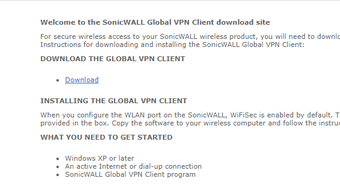


Download SonicWALL Global VPN Client – Secure Remote Access for Windows, Mac, and More
The SonicWALL Global VPN Client is a powerful, secure remote access solution designed for businesses that rely on distributed teams and remote vendors. This software enables encrypted, authenticated access to corporate networks from anywhere in the world, ensuring that sensitive data remains protected against cyber threats. Built to work seamlessly with SonicWALL firewalls, the client delivers enterprise-grade security through advanced encryption protocols like 3DES and AES, while maintaining a user-friendly interface that simplifies connection management. Whether you're a remote employee, vendor, or IT administrator, SonicWALL Global VPN Client provides reliable, secure, and compliant access to internal resources. With support for multiple network profiles, custom whitelisting and blacklisting, and real-time threat detection, this tool is ideal for organizations prioritizing both security and usability.
Key Features of SonicWALL Global VPN Client
The SonicWALL Global VPN Client stands out in the remote access software market thanks to its robust feature set. First and foremost, it offers end-to-end encryption using industry-standard protocols such as AES and 3DES, ensuring that all data transmitted between your device and the corporate network remains private and tamper-proof. This is crucial for businesses handling sensitive information, such as financial records, customer data, or intellectual property. The client also supports both IPsec and SSL protocols, giving administrators flexibility in configuring secure tunnels based on their network architecture and compliance needs.
Another standout feature is the ability to create custom whitelists and blacklists. Administrators can define which websites, IP addresses, and services are allowed or blocked during remote sessions. This level of control helps prevent accidental or malicious access to high-risk sites and ensures employees adhere to company security policies. For example, a finance team can be restricted from accessing non-work-related social media during remote sessions, reducing the risk of phishing attacks or data leaks.
The software also includes real-time threat scanning for remote traffic, which proactively detects malware, vulnerabilities, and suspicious activity before it reaches the internal network. This is especially valuable in today’s threat landscape, where remote workers are often targeted by cybercriminals. Additionally, the client supports multiple network profiles, allowing users to switch between different configurations—such as home, office, or client sites—without reconfiguring settings manually. This improves productivity and reduces downtime. With automatic updates and centralized management tools, IT teams can maintain consistent security across all remote endpoints.
Installation & Usage Instructions
Installing the SonicWALL Global VPN Client is a straightforward process, particularly for users on Windows systems. To begin, download the latest version from your organization’s IT portal or the official SonicWALL website. The installer is lightweight and compatible with Windows 7 and later versions, including Windows 10 and Windows 11. Once downloaded, run the executable file and follow the on-screen prompts. The setup wizard guides you through the process, requiring minimal user input.
After installation, launch the client and enter your organization’s VPN server address, username, and password—provided by your IT administrator. The client will then establish a secure tunnel to the corporate network. For added convenience, you can save multiple network profiles, each with its own settings, such as preferred authentication methods or connection timeouts. This is ideal for users who frequently switch between different work environments.
Connecting to the network is as simple as selecting the desired profile and clicking “Connect.” The client displays a status indicator, showing whether the connection is active and secure. Users can also monitor bandwidth usage and view connection logs for troubleshooting. If a connection drops, the client automatically attempts to reconnect, ensuring minimal disruption. For administrators, the software integrates with SonicWALL firewalls for centralized policy enforcement and real-time monitoring. Regular updates are pushed automatically, ensuring you always have the latest security patches and features.
Compatibility & System Requirements
The SonicWALL Global VPN Client is designed for broad compatibility across modern operating systems. It officially supports Windows 7 and later versions, including Windows 10, Windows 11, and Windows Server editions. This makes it suitable for most enterprise environments where legacy and current systems coexist. While the primary focus is on Windows, the client is also available for MacOS, ensuring that Apple users can securely access corporate resources without compromise.
For mobile users, SonicWALL offers companion apps for Android and iOS, allowing remote access from smartphones and tablets. These mobile clients maintain the same level of encryption and security as their desktop counterparts, making them ideal for on-the-go professionals. However, it’s important to note that full functionality—such as custom rule management and advanced logging—may be limited on mobile devices compared to desktop versions.
System requirements are modest, with a minimum of 1 GB of RAM and 500 MB of free disk space. The client runs efficiently on most modern hardware, even older machines. It also supports both 32-bit and 64-bit architectures. For businesses with mixed device fleets, this broad compatibility ensures a consistent remote access experience across platforms. IT administrators can deploy the software via group policy, SCCM, or other enterprise management tools, streamlining rollout and maintenance.
Pros and Cons of SonicWALL Global VPN Client
Pros
- Enterprise-grade security with AES and 3DES encryption, protecting data in transit.
- Custom whitelisting and blacklisting for granular control over remote access.
- Support for multiple protocols including IPsec and SSL, ensuring flexibility.
- Easy-to-use interface with point-and-click activation and profile switching.
- Real-time threat scanning to detect and block malicious traffic before it reaches the network.
- Automatic updates and centralized management for IT teams.
- Multi-platform support including Windows, Mac, Android, and iOS.
Cons
- Limited mobile functionality compared to desktop versions.
- Requires administrative setup—not ideal for self-service deployment without IT support.
- Occasional connection latency on slower or unstable internet connections.
- No Linux support for users on open-source operating systems.
- Steeper learning curve for non-technical users unfamiliar with VPN concepts.
Frequently Asked Questions (FAQ)
Conclusion: Secure, Reliable, and Scalable Remote Access
If you're part of a business that relies on remote access for employees, contractors, or partners, the SonicWALL Global VPN Client delivers a powerful combination of security, ease of use, and scalability. With strong encryption, customizable access rules, and real-time threat protection, it sets a high standard for enterprise-grade remote connectivity. Its support for Windows, Mac, Android, and iOS ensures that your team can stay connected from any device, anywhere in the world.
While it requires administrative setup and doesn’t support Linux, these limitations are minor compared to the benefits it offers. For organizations already using SonicWALL firewalls, this client is a seamless extension of their security infrastructure. Whether you're managing a small remote team or a large distributed workforce, SonicWALL Global VPN Client provides the tools you need to maintain control and protect your data.
Download the SonicWALL Global VPN Client today and empower your team with secure, reliable, and compliant remote access—without compromising on performance or protection.







